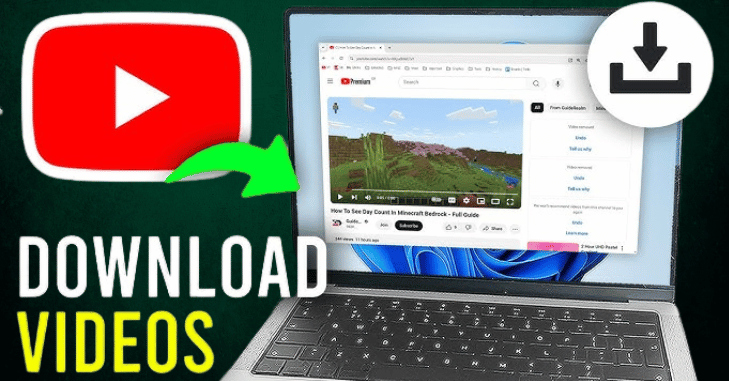
How to Download YouTube Videos Without Any Software? Save to Gallery via Google Chrome on Laptop

Introduction
In a world where digital content is consumed faster than ever, understanding how to download YouTube videos without any software has become increasingly valuable. Whether you’re preparing for a long flight, want to save educational content, or simply prefer to watch without buffering interruptions, downloading videos directly from YouTube without installing any programs is a practical solution.
Especially for Chrome users on laptops, several web-based methods and browser tricks make the process both safe and straightforward. This guide will walk you through step-by-step instructions on how to download YouTube videos without any software, save them to your local storage, and even access them easily from your gallery all without compromising your device’s security or performance.
Why Download YouTube Videos Without Software?
Downloading YouTube videos without software offers several advantages:
- Avoids unnecessary installations
- Reduces risk of malware or adware
- It saves disk space on your laptop
- Faster access and fewer security permissions required
- Convenient for one-time or infrequent downloads
Legal Disclaimer
Before proceeding, it’s important to mention that downloading videos from YouTube may violate its Terms of Service unless the footage provides a download option or you’re using it for personal, non-commercial use. Ensure you have permission to download and use the video content.
How to Download YouTube Videos Without Any Software?
You can use several web-based tools and browser tricks to download YouTube videos using Google Chrome on a laptop.
Method 1: Use Online Video Download Websites
Many websites let you paste a YouTube link and download the video directly. These sites do not require installation.
Steps
- Locate the video you wish to download on YouTube.
- Copy the video URL from the address bar.
- Go to one of the following websites:
- savefrom.net
- y2mate.com
- ssyoutube.com
- keepvid.pro
- Paste the link into the search bar.
- Choose your video format and quality (e.g., MP4 720p).
- The file will be saved to your Downloads folder when you click Download.
Note: Some of these websites may have pop-up ads. Use caution and refrain from clicking on dubious links.
Method 2: Using YouTube Premium
If you are a YouTube Premium subscriber, you can download videos directly using the official platform, though this method works mainly for mobile devices and the YouTube app.
Benefits
- Safe and Legal
- Offline access without third-party tools
However, this method does not let you store the video in your device’s gallery or file manager.
Method 3: Change the URL in the Address Bar
Some websites let you download videos by modifying the YouTube URL.
Example
- Open your desired YouTube video.
- Put ss before YouTube in the URL (for example, www.ssyoutube.com/watch?
- Press Enter.
- You will be redirected to a download page (usually savefrom.net).
- To download the video, adhere to the on-screen instructions.
There is no need for a web search using this simple strategy.
Method 4: Use Browser Extensions (Optional, Without Software Installers)
While this method involves extensions, it doesn’t require separate software programs. Some Chrome extensions allow you to download embedded media.
Steps
- Open the Chrome Web Store.
- Search for extensions like:
- “Video DownloadHelper”
- “Video Downloader Plus”
- Add the extension to Chrome.
- Open the YouTube video you want to download.
- Click the extension icon when it turns active.
- Select the resolution and Download.
Note: YouTube restricts some downloads via extensions, so that this method might work inconsistently.
How to Save the Video to Your Laptop and Gallery

Once you’ve downloaded the video, it will be available in your Downloads folder. It can be manually moved to a folder or gallery of your choice.
Steps to Save Video to Gallery or Specific Folder
- Open File Explorer on your laptop.
- Navigate to Downloads.
- Right-click on the downloaded file.
- Select Cut or Copy.
- Navigate to the folder of your choice, such as “Videos” or “Gallery.”
- Right-click and choose Paste.
The video will automatically appear if your gallery is synced with tools like Google Photos or Microsoft Photos.
Alternative Locations to Save Your Video
- Google Drive: Store your video online for easy access across devices.
- External USB Drive: Useful for transferring videos to mobile phones or other PCs.
- MicroSD Card: If your laptop has a card reader, it’s another gallery-friendly storage location.
Comparison Table: YouTube Video Download Methods Without Software
| Method | Ease of Use | Download Quality | Saves to Gallery | Requires Login | Best For |
| Online Downloader (e.g., Y2mate) | Easy | High | Yes | No | General Use |
| YouTube Premium | Very Easy | Medium-High | No | Yes | Frequent Users |
| URL Modification (“ss”) | Easy | Medium | Yes | No | Quick Downloads |
| Chrome Extensions | Medium | Variable | Yes | No | Advanced Users |
Tips for a Smooth Download Experience
- Ads on some websites are bothersome; use an ad blocker.
- Avoid suspicious pop-ups: Don’t click on buttons that redirect to unknown websites.
- Test multiple sites: Not every site will work for every video.
- Clear your browser cache: Improves performance and privacy.
- Check video rights: Make sure you can download it for offline use.
Recommended Video Formats and Qualities
| Format | Description | Best For |
| MP4 | Standard video format | Universal compatibility |
| WEBM | Web-optimized format | Online playback |
| MP3 | Audio only | Music and podcasts |
| 720p | HD quality | Balanced size and quality |
| 1080p | Full HD | Crisp visuals on larger screens |
| 4K | Ultra HD | High-end displays |
Final Thoughts
Downloading YouTube videos without software using Google Chrome on your laptop is possible and incredibly easy, flexible, and efficient. Whether you’re saving a lecture, music video, movie clip, entertainment content, or educational tutorials, online YouTube video download tools, browser extensions, and URL hacks make it possible to obtain and store content quickly.
If you’re wondering how to download YouTube videos without any software, the good news is you don’t need to install heavy programs perfect for users with limited storage or concerns about cybersecurity. From simple URL tricks like adding “ss” to YouTube links to accessing web-based platforms like Y2mate and SaveFrom, Chrome users on laptops have several options to download and save content to their gallery or folders.
These methods also benefit students, remote workers, and frequent travelers who want offline video access. Ensure you’re using legitimate download websites, avoiding risky pop-ups, and staying within YouTube’s terms of service. With the right tools and cautious approach, downloading YouTube videos for offline viewing is fast, free, and secure making it an essential trick for any regular Chrome user.
By following this comprehensive guide on how to download YouTube videos without any software, you’ll unlock a world of offline content viewing from your browser. Whether for entertainment, learning, or sharing, these methods ensure your favorite videos are always just a click away.
Want to know about “Cost Savings with Medical Billing Virtual Assistants” Check out our “Daily Bites” category.
FAQs
In the input field, type the URL of your YouTube playlist or video.
Choose MP4 or MP3, then your desired bitrate or resolution.
You can download your own YouTube videos for free by going to YouTube Studio, selecting Content, clicking the three dots next to your video, and choosing Download.
Open your browser and go to the YouTube video you want to download. Click to play or pause the video, then look at the URL in the address bar.
For more information on other types of digital content, check out our guide on Hydrotreater
For more information on potential side effects of Kaunch Beej, you might find this article helpful: Is There Any Side Effects of Kaunch Beej
For more information on potential side effects of Kaunch Beej, you might find this article helpful: Is There Any Side Effects of Kaunch Beej
For more information on potential side effects of Kaunch Beej, you might find this article helpful: Is There Any Side Effects of Kaunch Beej